
Text-Based POI Search
Implementation of a text input field for searching POIs. This allows users to filter the Point of Interest list and display only matching results by

Implementation of a text input field for searching POIs. This allows users to filter the Point of Interest list and display only matching results by
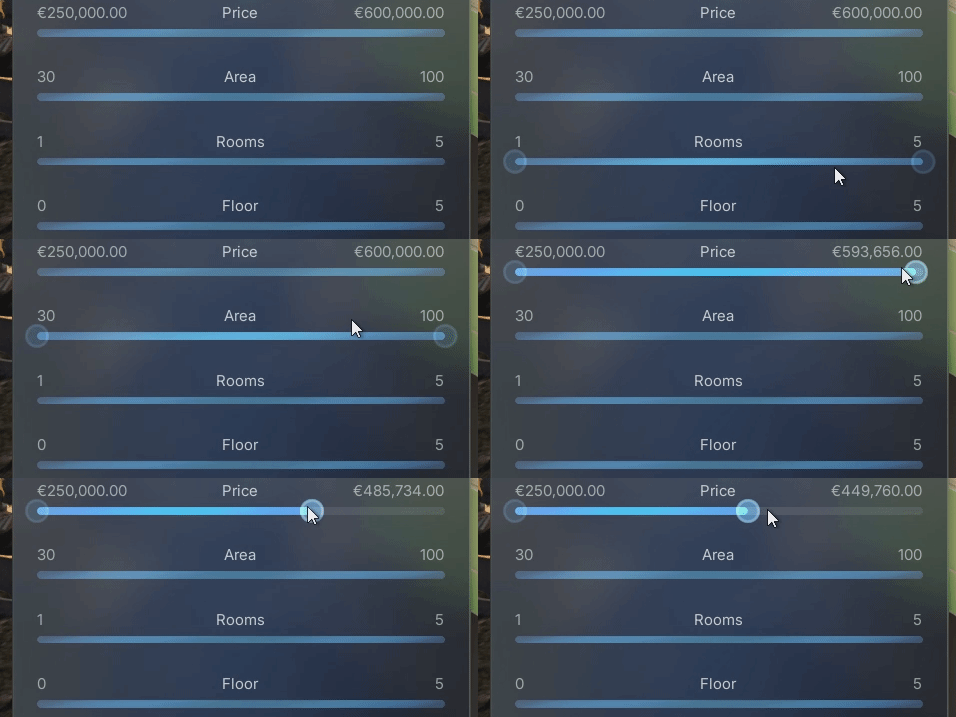
Enhanced the two-handle range slider with proper hover and pressed states for both the slider bar and the handles. This provides clearer visual feedback during
Resolved an issue that prevented scrolling when the mouse cursor was hovering over List View buttons.
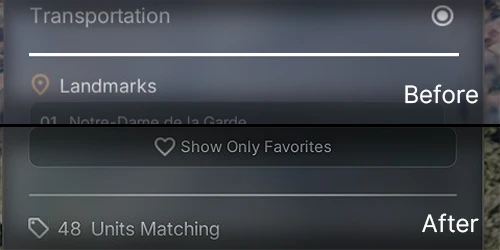
Replaced UMG borders with a custom material to enhance visual quality, styling, and flexibility for slim UI dividers. Unreal Engine’s default borders often appeared pixelated
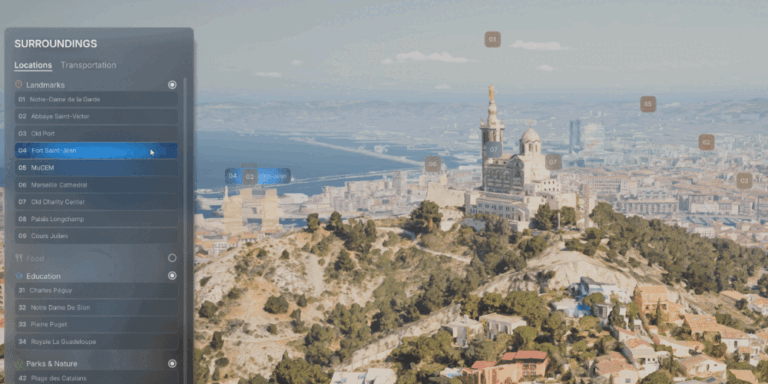
Two-way communication between UI list items and POI labels. When a button is hovered in the list, the corresponding POI label reflects the hover state,
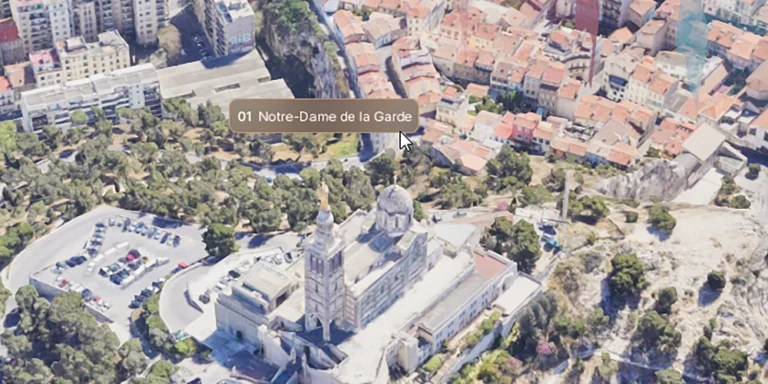
Hover-based label behavior for POIs. When the user hovers over a screen space label or POI geometry, the label expands to reveal the full name,
Replaced the constant per-frame (Tick) distance and opacity calculations from the original ArchViz Explorer with an optimized hybrid approach: Timer-based distance checks: The distance to
Implemented a material feature that allows gradient-based elements to be rotated at any angle.