The BP_AVE_PC manages the active Pawn and makes sure the game starts correctly.
It also acts as the execution layer, where it “listens” for mode changes from the Game Instance. When the Game Instance dictates a mode switch, the Player Controller executes the logic to swap the Pawn.
Role & Responsibilities
The Player Controller focuses on orchestration rather than direct input logic. Its primary duties include:
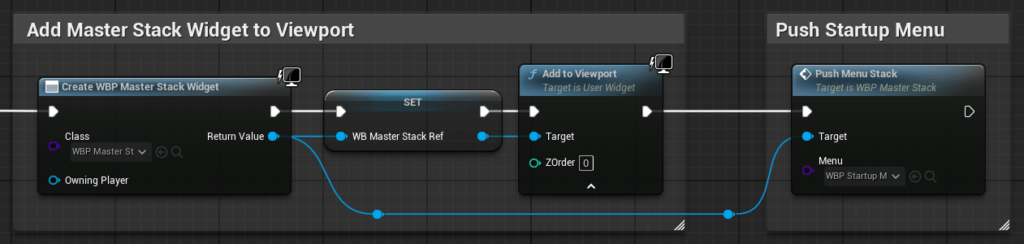
- UI Initialization: Creates and adds the ‘
WBP_Master_Stack‘ to the viewport immediately uponBeginPlay. - Pawn Management: Handles the spawning and possessing of specific Pawns (e.g., Explorer vs. Dollhouse) based on mode changes received from BP_AVE_GI.
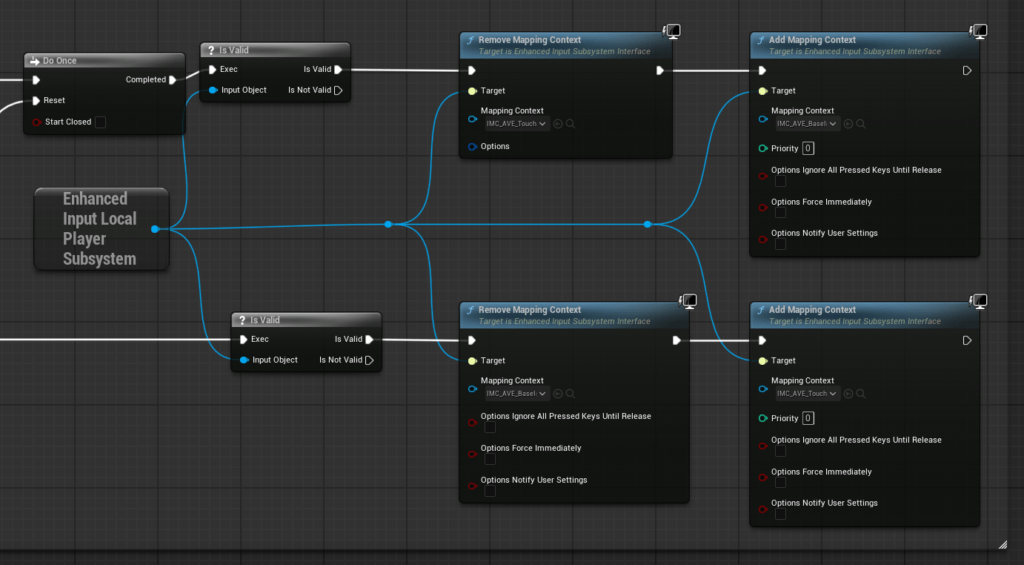
- Input Method: Dynamically adapts the controls based on the user’s active device (Mouse & Keyboard vs. Touchscreen).
- Cinematics: Triggers the introductory video sequence and background audio tracks.
To maintain a clean architecture, BP_AVE_PC is strictly scoped:
- Does NOT manage global modes or filters; that is handled by the Game Instance BP_AVE_GI.
- Does NOT store persistent data like save files or settings (Handled by BP_AVE_GI).
- Does NOT interpret movement input (Handled by the individual Pawn classes).
Implementation Examples
The following graphs show the logic inside BP_AVE_PC. These examples demonstrate how the controller responds to state changes from the Game Instance, dynamically swaps Input Mapping Contexts for touch support, and initializes the user interface.
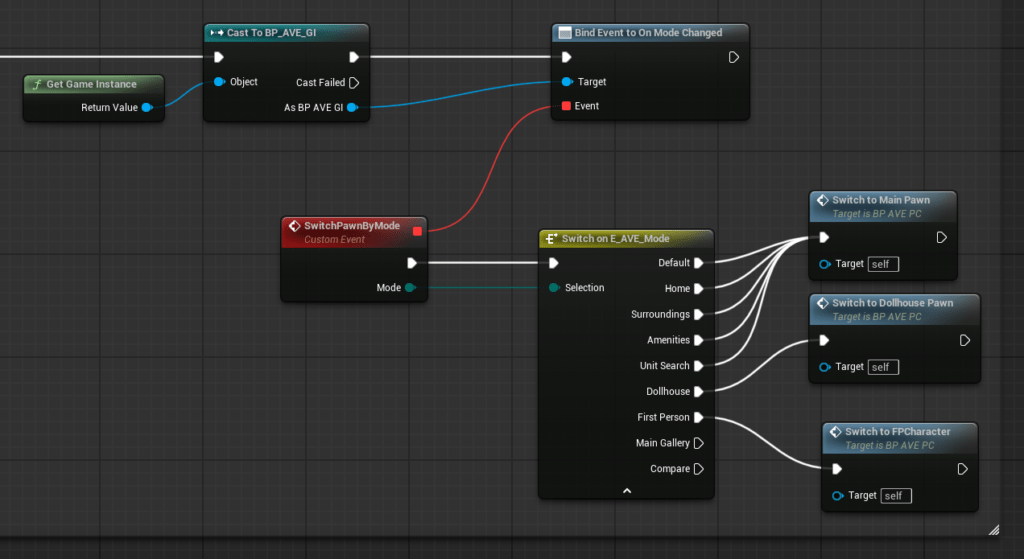
SwitchPawnByMode event dispatcher from the Game Instance to swap the active Pawn.