Chinese Localization and Typography Support
Chinese localization for Mandarin, alongside support for Simplified and Traditional Chinese typography

Chinese localization for Mandarin, alongside support for Simplified and Traditional Chinese typography
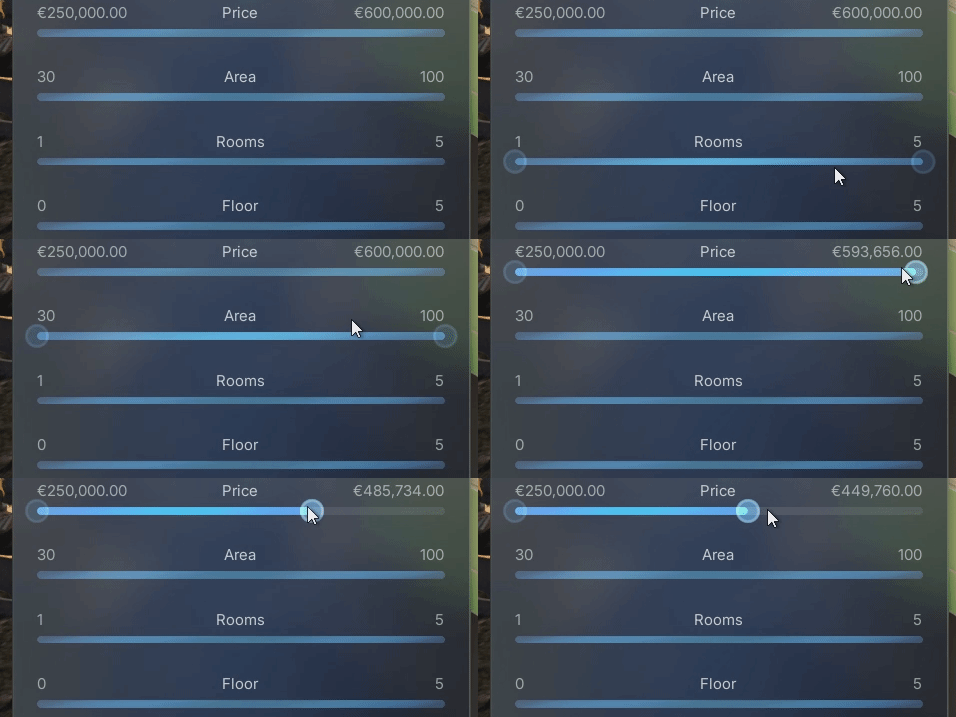
Enhanced the two-handle range slider with proper hover and pressed states for both the slider bar and the handles. This provides clearer visual feedback during
Implementation of a text input field for searching POIs. This allows users to filter the Point of Interest list and display only matching results by

A free add-on that connects AVE II directly to Google Sheets. Using the Runtime Datatable plugin, this feature pulls CSV information into the project at
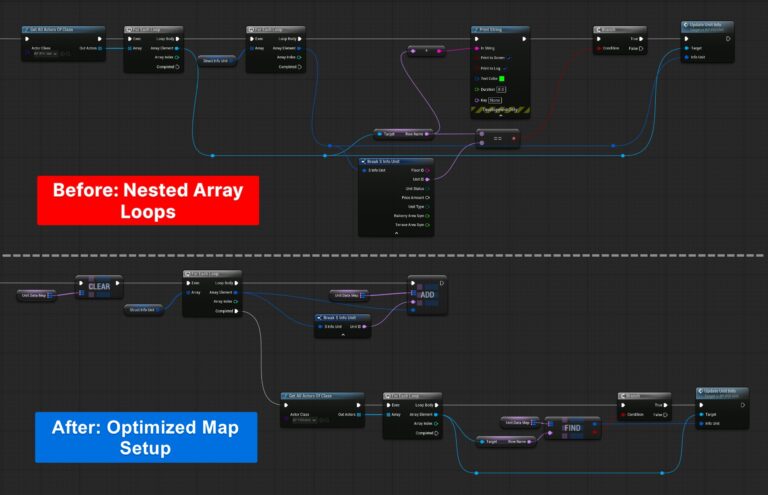
Optimization of data binding for units, from nested loops to a highly performant Map (Dictionary) data structure, improving the data integration from Google Sheets and
Optimization of the POI initialization to improve performance, shifting from a heavy “Pull” method to an automatic “Push” process. Instead of the Game Instance scanning
We reorganized the project folders to improve navigation and maintenance. Assets now follow Unreal Engine standards and are grouped by purpose and subsystem, keeping related
Resolved an issue that prevented scrolling when the mouse cursor was hovering over List View buttons.
Structured the demonstration map into sub-levels and organized actors into folders. This allows users to easily exclude unnecessary parts of the project. This simplifies the
Added support for camera movement along the ZX plane using the middle mouse button. This is especially helpful while moving up and down along tall