
Text-Based POI Search
Implementation of a text input field for searching POIs. This allows users to filter the Point of Interest list and display only matching results by

Implementation of a text input field for searching POIs. This allows users to filter the Point of Interest list and display only matching results by

Two-way communication between UI list items and POI labels. When a button is hovered in the list, the corresponding POI label reflects the hover state,
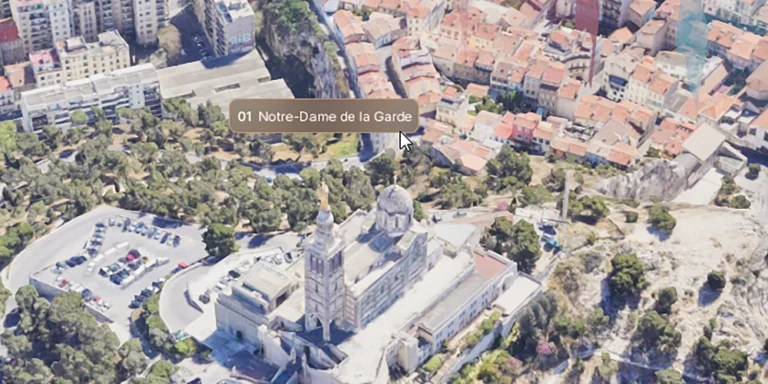
Hover-based label behavior for POIs. When the user hovers over a screen space label or POI geometry, the label expands to reveal the full name,
Constrains the player’s camera rotation after focusing on a POI, locking the view to a predefined angle or direction.

POIs can now have Blueprint actors assigned to them that react when selected or deselected. These reactables can play animations, change materials, move objects, or

Displays animated 3D text when a POI is selected. Can be used for titles, labels, or descriptions tied to specific points of interest.
Plays audio cues when users interact with Points of Interest to enhance feedback. Can be extended for status-based cues like “Available”, “Sold”, and “Reserved”.
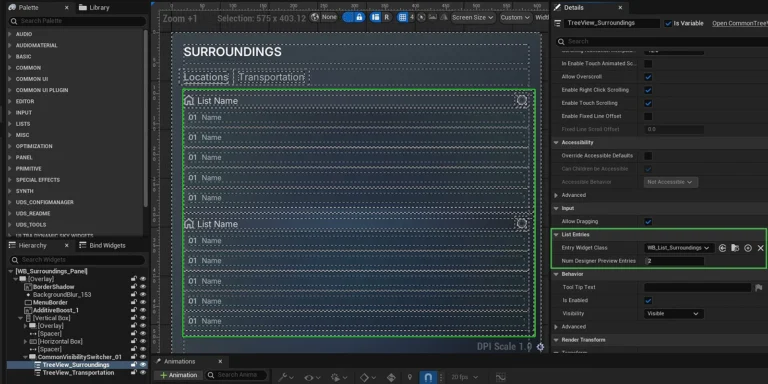
Replaced custom POI list with Unreal’s Common Tree View for improved performance and scalability. Supports hierarchical organization, built-in selection handling, and native list virtualization for