Clamp Camera Rotation for POIs
Constrains the player’s camera rotation after focusing on a POI, locking the view to a predefined angle or direction.

Constrains the player’s camera rotation after focusing on a POI, locking the view to a predefined angle or direction.

POIs can now have Blueprint actors assigned to them that react when selected or deselected. These reactables can play animations, change materials, move objects, or
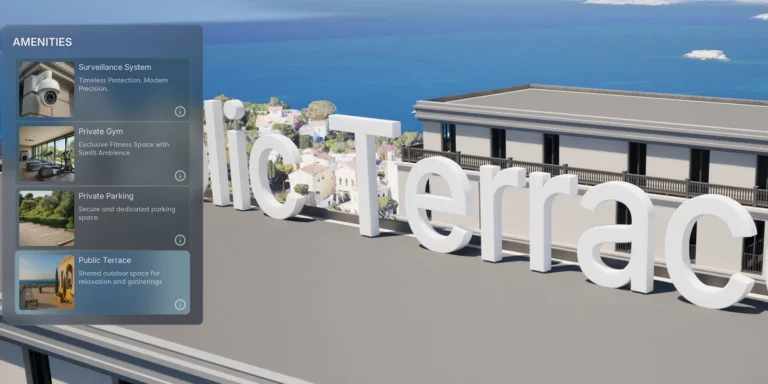
Displays animated 3D text when a POI is selected. Can be used for titles, labels, or descriptions tied to specific points of interest.
Plays audio cues when users interact with Points of Interest to enhance feedback. Can be extended for status-based cues like “Available”, “Sold”, and “Reserved”.
The Floating Pawn Movement component was removed from the pawn because its built-in acceleration and deceleration settings were difficult to tune, resulting in floaty panning
Prevents unintended camera movement or interactions when the user starts a touch or mouse drag on a UI element (like a panel or border). Blocks
When the user clicks, display a small indicator icon at the orbit location beneath the mouse cursor. This gives clear visual feedback about the pivot/orbit
A new Blueprint Editor Utility Widget to edit POI settings. Developers had to sift through exposed variables in the Details panel, which led to confusion,
Refactored button-slot widget communication to use Common UI’s FindParentWidgetOfType combined with Event Dispatchers, replacing downward Blueprint Interface calls. This improves modularity and decouples child-parent dependencies